

Custom Development › Case Studies › Companion Apps for WorkflowMAX
A Companion App That Lets Site Managers Submit Jobs From Their Phone
Frontline staff were overwhelmed by WorkflowMAX screens they didn’t need, so workarounds and double handling crept in. We built a companion app around WorkflowMAX so each role sees only its own part of the system, and job data lands clean the first time.
Part of our custom development work for construction and job-based businesses running WorkflowMAX. We are Platinum WorkflowMAX Implementation Partners, with offices in Auckland and Wellington.
The Challenge
WorkflowMAX is great for the back-office administrator. But the people out on site don’t need every screen and feature, and when they are faced with all of it, they find their own way around it.
- Workarounds and double handling creep in
- Data is entered incorrectly, or not at all
- Downstream decisions are made on incomplete or incorrect data
The client also faced a trade-off: fewer dials for managers in the field, but more job information captured in one pass. Those two goals normally pull in opposite directions.
What We Built
A tailored, purpose-built app that sits alongside WorkflowMAX rather than replacing it.
Screens by Role
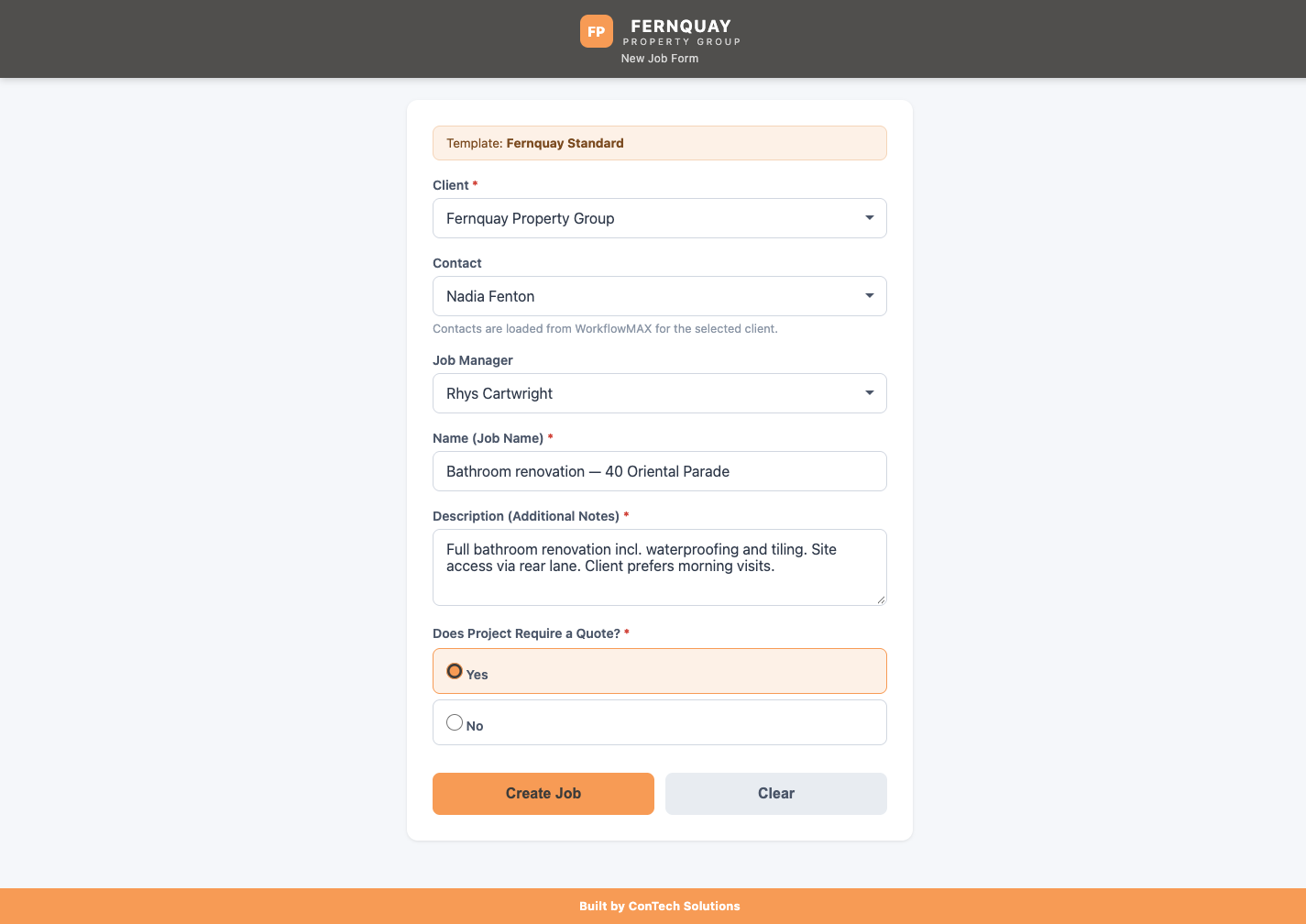
Each team member gets exactly the screens and fields they need for their day-to-day work.
Submit From a Phone
A manager in the field submits a job straight from their phone, with a quote attached or without.
Right Status, Right Deadline
The job lands in the correct status with the deadline clock already running, without anyone opening the full system.
Validated Before It’s Saved
Data is checked before it is committed to WorkflowMAX, so the numbers are uniform and reliable.
No admin overhead. No double handling.
How We Approached It
Configure WorkflowMAX First
We set up WorkflowMAX itself to fit the client’s actual workflows, so the app is built around the business and not the other way around.
Build the Companion Around It
A custom build keeps the full power of WorkflowMAX behind the scenes, while frontline staff only ever see their own part of it.
Validate, Then Commit
Everything captured in the app is checked before it reaches WorkflowMAX, so everyone works off the same, up-to-date numbers.
The Outcome
Less on screen for the field. More captured in one pass. Nothing lost in the back office.
- None of WorkflowMAX’s administrative power is lost
- Reporting is improved, because data is uniform, captured reliably and validated first
- Site staff submit jobs without ever opening the full system
The first build is now proven, and rollout to early adopters is underway.
Where It’s Heading
One branch becomes the template, then the next branch is faster, and the one after that is faster again.
Early adopters
Rollout to early adopters is underway, with the first build proven.
More branch locations
Expand across more branches, using the first as the template.
More job roles
Open the app up to more varied roles as the functionality proves itself out.
Related Work: Financial Controls and Reporting
The same approach, applied to spreadsheets and AI-generated reports for a recent client.
Spreadsheet to WorkflowMAX
Spreadsheets are flexible and fragile, and they get harder to maintain as more people build on them. We moved the critical functions out of the rows and columns and into WorkflowMAX as the central hub. Once committed, every manager works from the same, most up-to-date numbers, with cost certainty instead of guesswork.
Reports anchored to known-good data
AI lets any team member produce reports and forecasts in minutes, but the files pile up and it is hard to tell which to trust. Every report now draws from the live, validated source rather than a stale export, and we designed a secure, governed home for AI-created reports, so they are findable in one place instead of scattered across inboxes.
What’s Next
Throughout our industry and networks we hear how companies want their systems to fit together properly, especially where the workarounds they have built pull them away from their core work. Nobody wants to keep hacking a solution into the software they rely on.
We’re working on custom reporting and forecasting, scenario modelling, take-off estimates, data capture and validation, private AI deployments, and guardrails around AI tooling, among many other things.
Case Study FAQs
What is a companion app for WorkflowMAX?
A tailored, purpose-built application that sits alongside WorkflowMAX rather than replacing it. Each role sees only the screens and fields it needs, while the full power of WorkflowMAX stays behind the scenes.
Does a companion app replace WorkflowMAX?
No. WorkflowMAX stays the central hub. The app captures data from frontline staff and validates it before it is committed, so the back office keeps all of its administrative power.
How long does a custom build take?
Working software in weeks, not the months an enterprise package rollout takes. We configure WorkflowMAX to fit your workflows first, then build only what is genuinely missing.
Can this be rolled out across more branches?
Yes. One branch becomes the template, so each following branch is faster to roll out than the last.
Got a Workaround You’d Like to Get Rid Of?
If you have a problem that sounds similar, we’d love to have a no-obligation chat about what you’re currently working with and how we might be able to help.
Or email info@contechsolutions.io. Offices in Auckland and Wellington.